Google Business Profile for Nail Salons: A Setup Checklist
Set up a Google Business Profile that brings nail salon bookings: name, category, services and prices, booking link, photos, hours, updates and reviews.
By the CutieCure Salon teamPublished 6 min read
In short
- Use your real salon name (no added keywords), Nail salon as the primary category, the right address or service area, and correct hours, including holiday hours.
- List your services with prices and add your booking link, so a search turns into a booking in a couple of taps.
- Keep the profile alive: new photos of real work, an update now and then, a reply to every review and a monthly check of what Google or other people have changed.
Why the profile matters for a nail salon
When someone searches for a nail salon near them, the map results come from Google Business Profiles. For many new clients, your profile is the first thing they see: your photos, your rating, your hours and a button to call, get directions or book. It is free, and it is often the shortest way from a search to a booking.
The guide to getting clients online puts the profile in a wider plan. This checklist goes through the profile itself.
Claim and verify your profile
- 1Search for your salon on Google Maps. If a profile already exists, choose the option to claim it; otherwise create a new one in Google Business Profile.
- 2Sign in with an account the business controls, not a personal account that might leave with an employee.
- 3Verify the profile. Google decides which verification methods you get; they can include a video of your premises and signage, a phone call or text, or an email.
- 4Add a second owner or manager you trust, so you never lose access.
Get the basics right
- Name: use the name on your sign and your receipts. Google's guidelines do not allow extra keywords or a location in the name ("Moon Nails | Best Gel Manicure Downtown"), and profiles that do it can be suspended.
- Category: choose Nail salon as the primary category. Add secondary categories only for services you really offer.
- Address or service area: if clients come to you, show your address. If you only work at clients' homes, you can hide the address and list the areas you serve instead.
- Hours: set regular hours, and add special hours for holidays and closures, so nobody arrives at a closed door.
- Phone: a number someone answers during opening hours.
Services, prices and your booking link
Add your services with a short description and a price, using the same names and prices as your menu. A client who sees "Gel manicure" at one price on Google and another at the desk will not trust either.
Then add your booking link. Use it as your website link if you have no website, and as the appointment or booking link if your profile offers one. When clients tap it, they should land on your real calendar, not on a page that asks them to call.
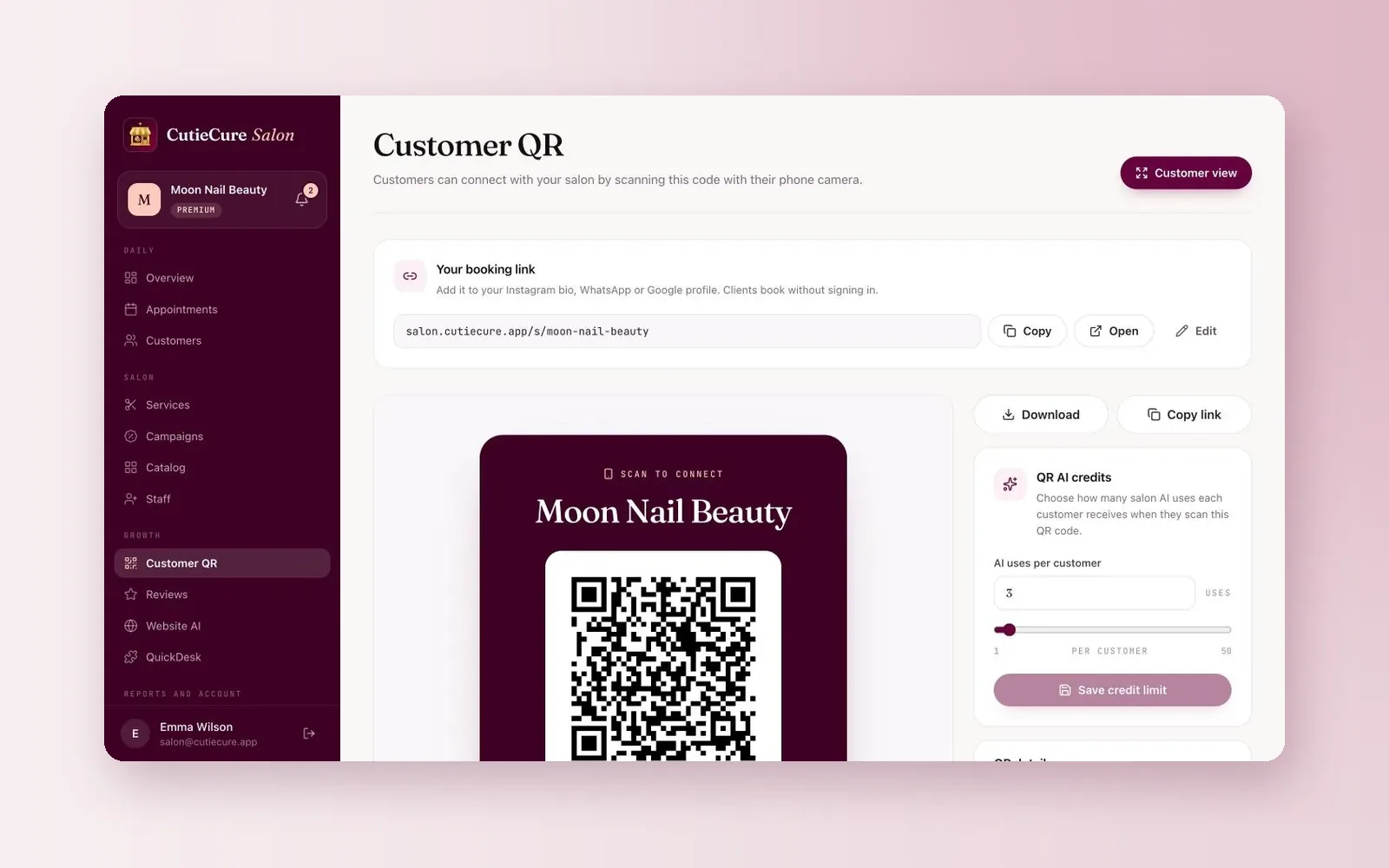
In CutieCure Salon, you copy the booking link from the dashboard. Clients see your services, team and free times and book without signing in. Bookings from the link are tagged as booking-link bookings, but the link does not say which site the click came from, so ask new clients how they found you if you want to know how many come from Google.
Photos that make people book
- Outside and entrance: so clients can find the door, especially in a shopping centre or upstairs.
- Inside: your stations, clean and well lit.
- Your work: close-ups of finished nails in natural light. These are what people actually look at.
- The team at work, if they are happy to be photographed.
Use your own photos, not stock images, and add new ones regularly. Ask clients before you post photos of their hands; the Instagram content guide covers consent that protects you.
Description and attributes
Write the description for a person, not for a search engine: what you specialise in, who comes to you, where you are and which languages you speak. Leave out links and offers; Google's guidelines do not allow URLs in the description, and offers belong in updates.
Fill in the attributes that apply to you, such as accessibility and payment options, and only the ones that are true.
Updates and offers
Updates (posts) show on your profile. Use them for things a client would want to know: a new seasonal set, free slots this week, a new technician, holiday opening hours. Keep every offer true and easy to understand. The holiday promotions guide has ideas for the busiest season.
Reviews
Reviews and your rating weigh heavily when a new client compares salons. Ask every happy client at the right moment, make it easy with a direct review link and reply to every review, good or bad. Never buy reviews or offer rewards for them. The step-by-step method is in how to get more Google reviews.
A 15-minute monthly check
- 1Check opening hours and add special hours for the coming holidays.
- 2Add a few new photos of recent work.
- 3Reply to any review you have not answered.
- 4Look for changes suggested by Google or other people, and correct anything wrong.
- 5Check that services and prices match your menu.
- 6Post one update.
- 7Look at the performance numbers (calls, direction requests, website or booking clicks) and compare them with last month.
The solo nail tech software page shows what clients see after they tap your booking link.
Free tools and next steps
- Booking software for solo nail techsBooking and client management for solo nail techs: a booking link, a calendar on your phone, client notes and no-show tracking. No booking commission.
- Appointment and scheduling software for nail salonsOnline booking, per-technician scheduling, client notes and no-show tracking for nail salons. No booking commission, 14-day free trial, no card.
Frequently asked questions
Which category should a nail salon choose on Google?
Nail salon as the primary category. Add secondary categories only for services you actually offer.
Can I add my booking link to my Google Business Profile?
Yes. Use it as your website link or as the appointment or booking link where your profile offers one. Google's built-in booking button only works with providers connected to Google, but a plain link works for any profile.
Should I add keywords to my salon name on Google?
No. Google's guidelines ask for the real-world name of the business, and adding keywords or a location to the name can get the profile suspended.
I work from home. Do I have to show my address?
If clients come to your home, Google's guidelines expect the address to be shown. If you only travel to clients, you can hide the address and list a service area. Think about privacy before you create the profile.
How often should I update my Google Business Profile?
Change hours as soon as they change, and do a short check once a month: photos, reviews, suggested edits, services and prices, and one update.
Written by the team that builds CutieCure Salon, booking software for nail salons. When the product or a fact in this guide changes, we update the guide and the date above.
Put this into practice with CutieCure Salon
Online booking link, website widget, packages, customer groups, campaign codes and team performance in one dashboard, plus AI try-on for your clients.